Remap
The Remap node is one of the most versatile Map Modifiers that, with some practice, will soon evolve into your Swiss Army Knife in terms of elastic terrain modelling. It is used to convert map values within a defined input range into corresponding values inside an output range, keeping their relative position inside those boundaries.
By default, this means that if your input value is 80% of the size of your input range then, after the remap, it will be 80% of the size of the output range.
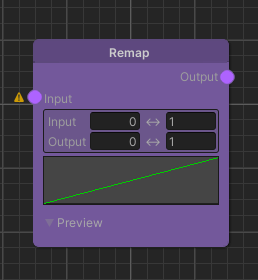
Detailed Explanation
First, the value of each pixel of the input Map is set in relation to the input range, where 0% is the minimum input value and 100% is the maximum input value. By default, the resulting percentage is the proportion within the input range. Each pixel's percentage is then applied to the output range, where 0% is the minimum output value and 100% is the maximum output value. The exact output value corresponds to the output range at that ratio.
Values of the input Map are clamped to the Input range parameter.
The mapping from the input to the output range is proportional by default. This can be customized utilizing the Curve parameter. Here, the x-axis between 0 and 1 corresponds to the input range while the y-axis between 0 and 1 corresponds to the output range. Using the curve, various artistic effects can be achieved like smooth gradients, plateau cliffs, hard cuts, ripple effects, or combinations thereof.
Math & Implementation
The concept of value remapping can be confusing in certain scenarios. It is helpful to go through the underlying math to understand what actually happens to the input values on a code level.
Basic Linear Remapping
The basic proportional remapping algorithm is a combination of an inverse linear interpolation (to find the percentage) followed by a linear interpolation (to scale it to the output):
outputMapValue =
    outputRangeStart
    + (outputRangeEnd - outputRangeStart)
    * ((inputMapValue - inputRangeStart) / (inputRangeEnd - inputRangeStart))
Curve Modulation Wrap Up
On a code level, the Curve parameter is evaluated by clamping the ratio between 0 and 1, feeding it into the AnimationCurve, and using the curve's output value as the interpolation alpha:
curveInput = clamp01((inputMapValue - inputRangeStart) / (inputRangeEnd - inputRangeStart));
curveOutput = clamp01(Curve(curveInput));
outputMapValue = lerp(outputRangeStart, outputRangeEnd, curveOutput);
Parameters
Inputs
| Name | Type | Description |
|---|---|---|
| Input | Map | Provides the values that will be remapped. |
Controls
| Name | Type | Description |
|---|---|---|
| Input Min | float | The minimum input value smaller values are clamped to. |
| Input Max | float | The maximum input value larger values are clamped to. |
| Output Min | float | The minimum output result to which values at y = 0 on the curve are scaled and clamped to. |
| Output Max | float | The maximum output result to which values at y = 1 on the curve are scaled and clamped to. |
| Curve | AnimationCurve | The mapping curve between the input and output values. The min-max-ranges are scaled to values between 0 and 1. |
Use Cases
Remapping Terrain (Plateau Cliff Formations)
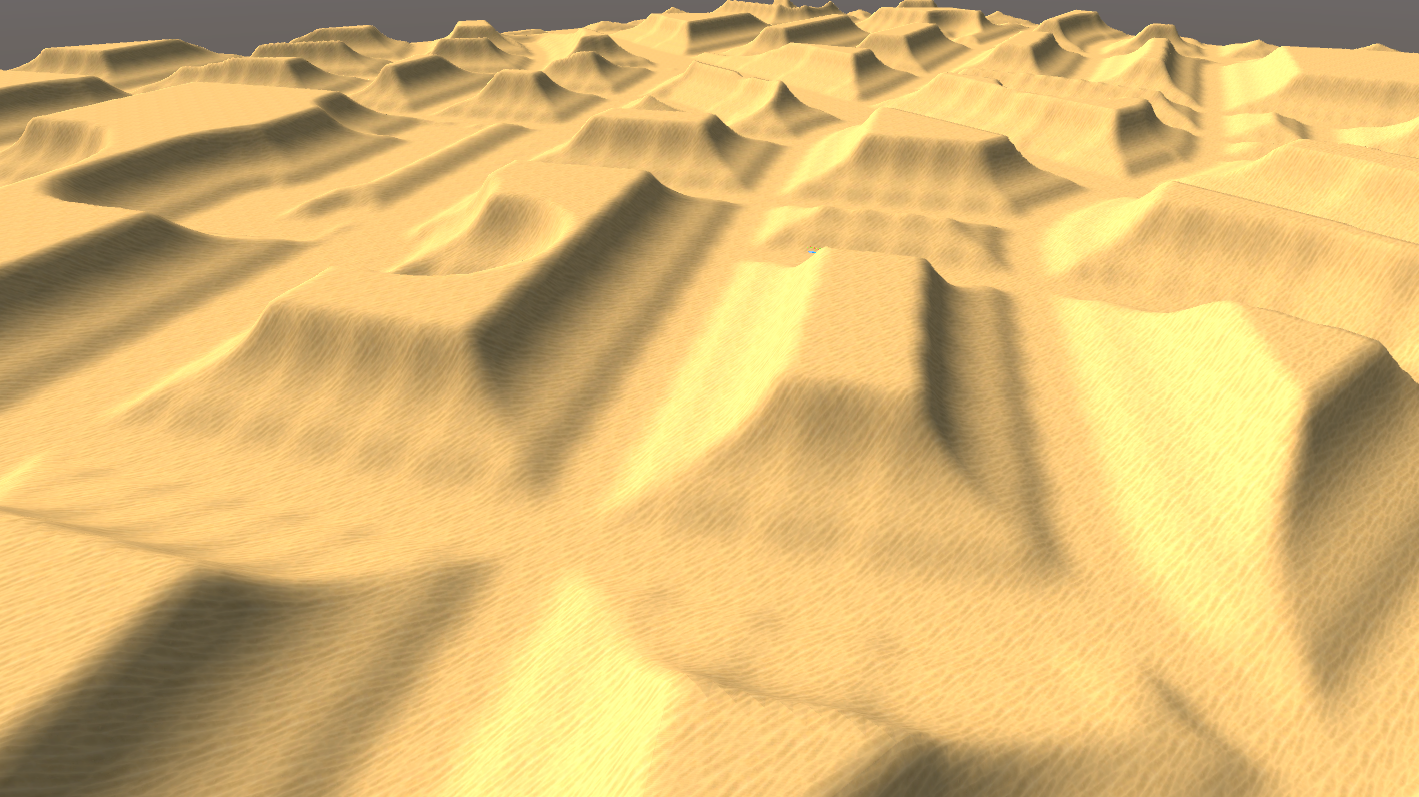
For elastic terrain modelling, it is often required to form shapes over a certain distance away from the road the player is driving on. Imagine a case where you want to create plateau-like shapes across your environment. This is a perfect use case for the Remap node:
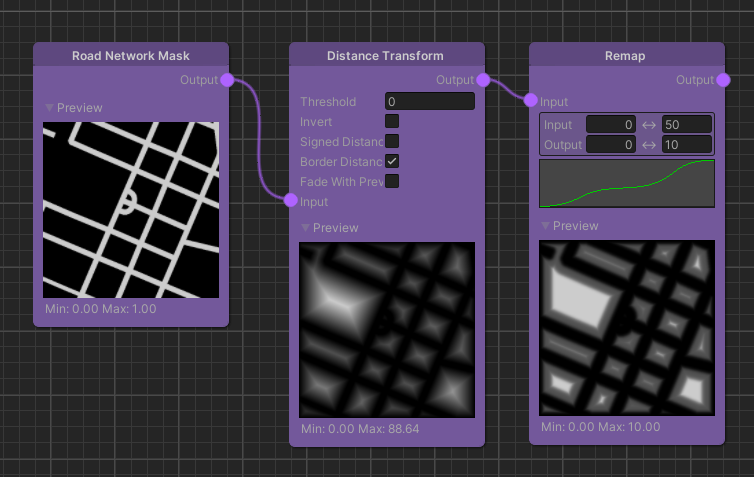
What is happening here is that by using the Distance Transform of the Road Network Mask as input, we can remap the distances away from the road to certain heights of our plateau-like shape:
- By setting the Input range to
0..50and the Output range to0..25, we tell the system that over a distance of 50 meters away from the road, we want to get height values ranging from 0 to 25. - The Curve parameter defines how these distances map from the input range to the output range, ultimately driving the plateau shape.
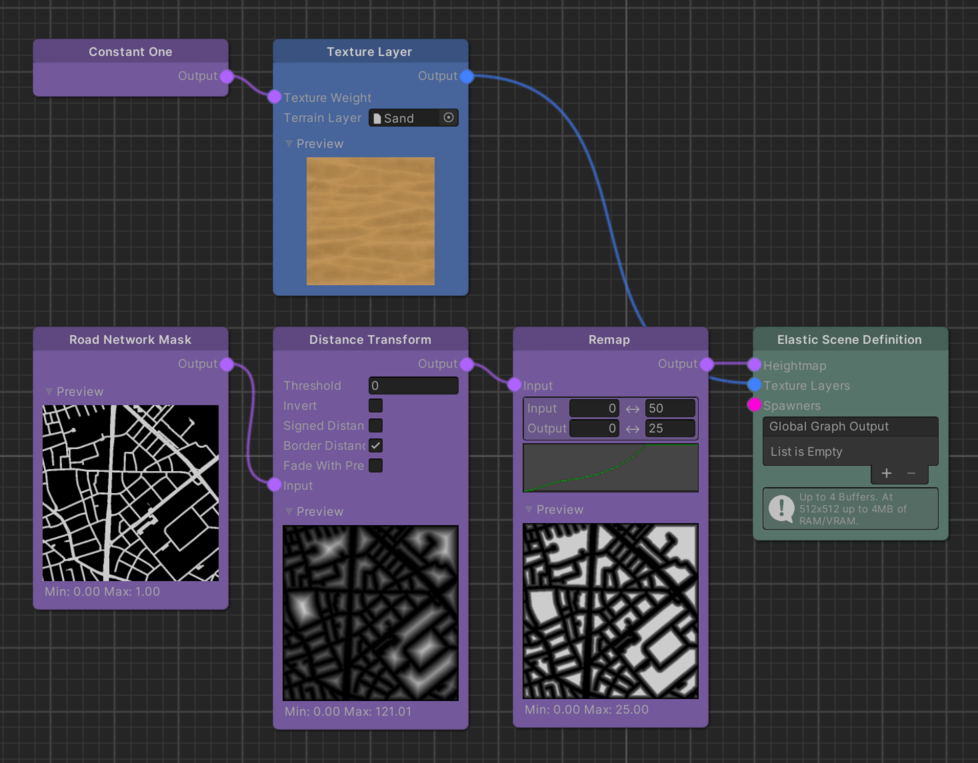
The Curve's axes values are normalized to a 0..1 range (the x-axis represents input range and the y-axis represents output range).
Further Reading
- The simple yet powerful math we don't talk about! - A lovely take on lerp, inverse lerp and remap by Freya Holmér.